
Home
Where you were, what the agents have been doing, what the sweep found, and the router — before you open a single file.
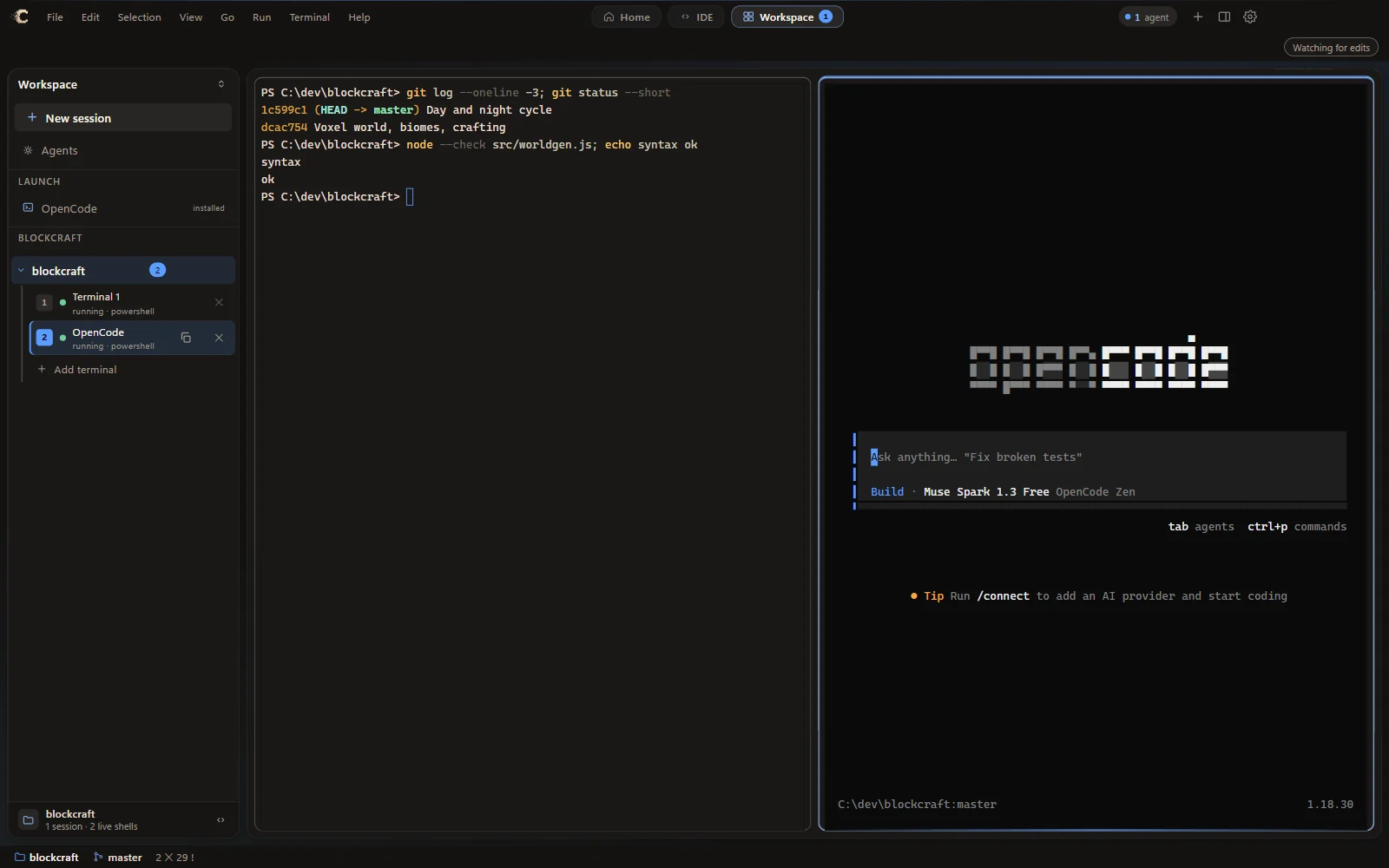
Terminals that remember what they were doing. OpenCode one click away. Edits that arrive in the editor typed, word by word, the way the agent wrote them. CepelCode is a code editor built for the way coding CLIs actually work.
Free download · x64 installer · SHA-256 published with every release
Three modes, one switch
A dashboard, an editor and a wall of terminals want different layouts. CepelCode gives each its own mode and puts the switch dead centre, so nothing is ever two layouts fighting over the same pixels.
Where you were, what the agents have been doing, what the sweep found, and the router — before you open a single file.

Files, tabs, breadcrumbs, diagnostics that arrive while you type, and one terminal under the code. The editor you already know how to use.
Sessions down the side, terminals tiled across the whole window. For when the terminals are the work.
Built for agents

A file an agent changes is not snapped into place. It arrives the way it would have been written — cut lines go at once, new text word by word under a moving cursor, the change highlighted when it lands. The buffer is never dirty while it types and always ends as the file on disk.

Checks for Node.js and installs it if it is missing, installs or updates OpenCode, then runs it — typed into a real terminal so every step is on screen. From the workspace rail or the chat dock. Log in, and go.
A restored terminal is a record, not a process: its name, its folder, what it last printed — and no shell until you press a key. Twenty terminals cost twenty emulators and zero PowerShells.
The chat dock is a real PTY with a composer instead of a prompt line and a transcript instead of a scrolling buffer. It keeps its own width, and it has tabs — two agents on two jobs is the normal case.
Compiled into the Rust core. No model, no key, no network. They read one sweep of your workspace, each says one narrow thing well, and their findings land as Problems rows and squiggles — on every save.
Exit codes, the working directory and what actually ran come from the shell's own markers, not from reading the screen. Listening ports come from the kernel's table, attributed to the terminal that opened them.
One global key. Its own recogniser, compiled in — no download, no network — biased toward the identifiers in your codebase. Clear words with small pauses; it will not transcribe a conversation, and it says so rather than pretending.
Checkpoint the workspace before an agent starts, review what it changed, undo the last run, keep agents in their own lanes with worktrees, and check the tree against architecture rules you wrote down.
The harness
Driven over whichever coding CLI you already have. A router reads your request and decides who is needed — and its most common, most correct answer is nobody, do it inline. It does not spawn a fleet by reflex.
Built to be trusted
CepelCode checks for a new version at launch and every six hours, downloads it on your say-so, verifies the checksum, and installs it silently. Thirty days after a release, the old version asks you to update or quit — and lets you stop your running agents first.
The only network call the app itself makes is that update check. Analysis runs in a local Rust core. Dictation never leaves the machine. Your agents talk to whichever provider you configured in your CLI.
Every run carries a capability token the app minted for that session. A token copied to another machine fails even though the bytes are right. A person at the keyboard is trusted; a cron job nobody meant to point here is not.
Download
Windows 10 or 11, x64. One installer, no account.